 Isle
IsleSystem
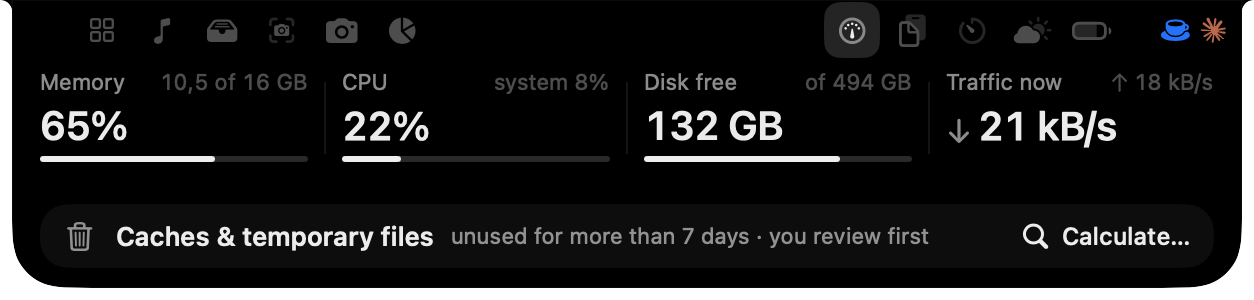
Memory, CPU, free disk and network, read only while the panel is open. Clean up old caches in two steps: first a list with sizes, then they go to the Trash.
Isle turns the black cutout at the top of your MacBook into a living island for your music, your AI’s limits, a timer, the files you drop on it and your screenshots. Islet lives there and tells you when something needs you.
3 days free, every feature. Requires macOS 26.
That’s Islet, beside the notch up there. Hover the notch to open the hub, click her, or leave her alone for a bit.
Music
Artwork, a scrubber and controls for Apple Music, Spotify, YouTube Music and podcasts: whatever is in the system’s Now Playing. Islet listens along.
AI usage
Rings show how much of each limit is left for Claude Code, Codex, Cursor, Gemini and more than 20 other AI services. See the request and the step it’s on, and when a session waits for you, answer from the island.
Timer
A timer, Pomodoro, stopwatch and countdown. The time stays beside the notch while it runs, and Islet gets focused with you.
Shelf
Drag files to the top of the screen and the Shelf keeps a copy for seven days. Drop them on AirDrop to send them. Nothing is deleted outright: what leaves the Shelf goes to the Trash.
Capture
Freeze the screen, pick an area and annotate it with a pen, arrows, shapes, text, counters or a secure pixelate. Press Return to copy, or save it, pin it or send it to the Shelf.
The clock, the Shelf, Capture and the weather, with a tab for every module you turn on. Move the mouse away and it tucks back into the notch.
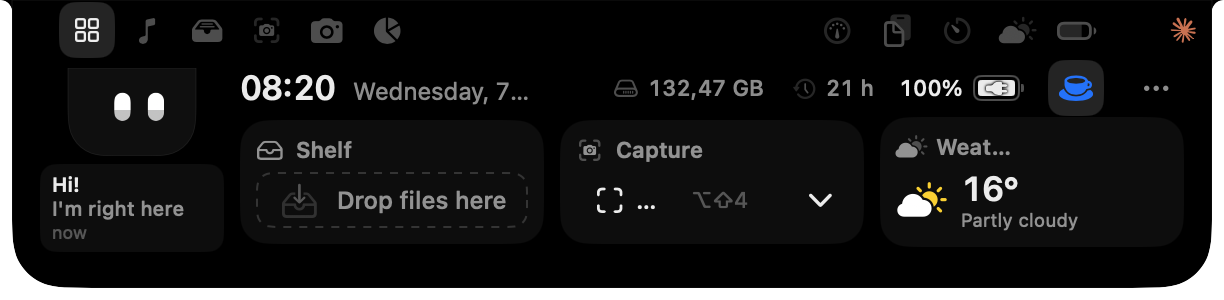
A real capture of Isle 1.0.18.
Every module can be turned on or off in Settings, so the island only shows what you use.
Memory, CPU, free disk and network, read only while the panel is open. Clean up old caches in two steps: first a list with sizes, then they go to the Trash.
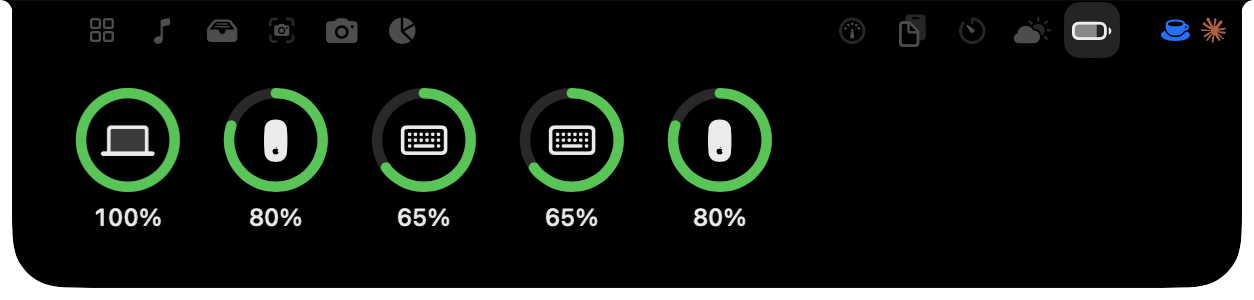
The battery of your keyboard, mouse, trackpad and headphones, read by macOS itself.
Volume, brightness, Caps Lock, battery and headphones, drawn right in the notch.
Check yourself before a call. The camera turns on only while the mirror is open.
The last 20 things you copied. Passwords are left out.
Your next meeting, with a Join button for Zoom, Meet, Teams, FaceTime or Webex, plus today’s reminders.
Ask Claude Code a quick question from the island. It runs the claude already on your Mac, and keeps the session history.
Now, the next hours, and a heads-up before it rains.
A notepad in the notch that saves itself.
How long you’ve been on a call, and a button to mute your mic.
Math, unit conversions and translation, in one field.
Run your Shortcuts from the island with one click.
She only shows up when there’s something to tell you: an AI that finished or is waiting for you, a usage limit, the timer, a screenshot, the music. Twenty expressions, and every change is a little elastic hop.
Now:
She follows your cursor, dozes off when you leave the mouse still, falls asleep after a while and wakes up startled when you come back. Move fast and she gets a fright.
Without a notch, Islet waits in a small pill at the top of the screen, the height of the menu bar. Hover it and the whole island appears. On a MacBook, everything lives in the notch.
Written in Swift and SwiftUI for the current macOS.
No account, no analytics, no tracking. Your music, calendar, clipboard, notes and AI sessions are read on your Mac and stay there.

US$ 14.99
One-time purchase. No subscription.
Coming soon to Setapp.
Yes. On an external display or a Mac without a notch, Islet waits in a small pill at the top of the screen, the height of the menu bar. Hover it and the whole island appears.
macOS 26 or later.
Download Isle, drag it to Applications and open it. Every feature works for 3 days. To keep it, buy a license and paste the key into Isle.
Up to 3 Macs per license. To move it to another Mac, choose Deactivate This Mac in Isle’s settings and activate it on the new one.
Enter the email you bought with on the resend page and the key goes back to your inbox.
Yes, within 14 days of purchase, no questions asked. Paddle processes the refund and the license is deactivated. See the refund policy.
Claude Code, Codex, Cursor, Gemini, Copilot and more than 20 other services. Usage checks go straight from your Mac to each provider, and only for the accounts you turn on.
Yes. Every notice she gives has its own switch in Settings › Islet, and she can be turned off entirely.
Not yet. It’s coming soon.
Isle is made by APPLU DIGITAL LTDA. Paddle.com is the reseller and merchant of record, so your receipt comes from Paddle.